LIVE DEMO
Gmail label to case file in Drive
One n8n workflow that turns a labeled email into a fixed PDF in the right case folder
Open recruiter demo ↗
gmail-case-docs-to-drive-demo.aaron.cv
EVIDENCE, NOT CLAIMS
Twelve scenarios that run the delivered export, not a description of it
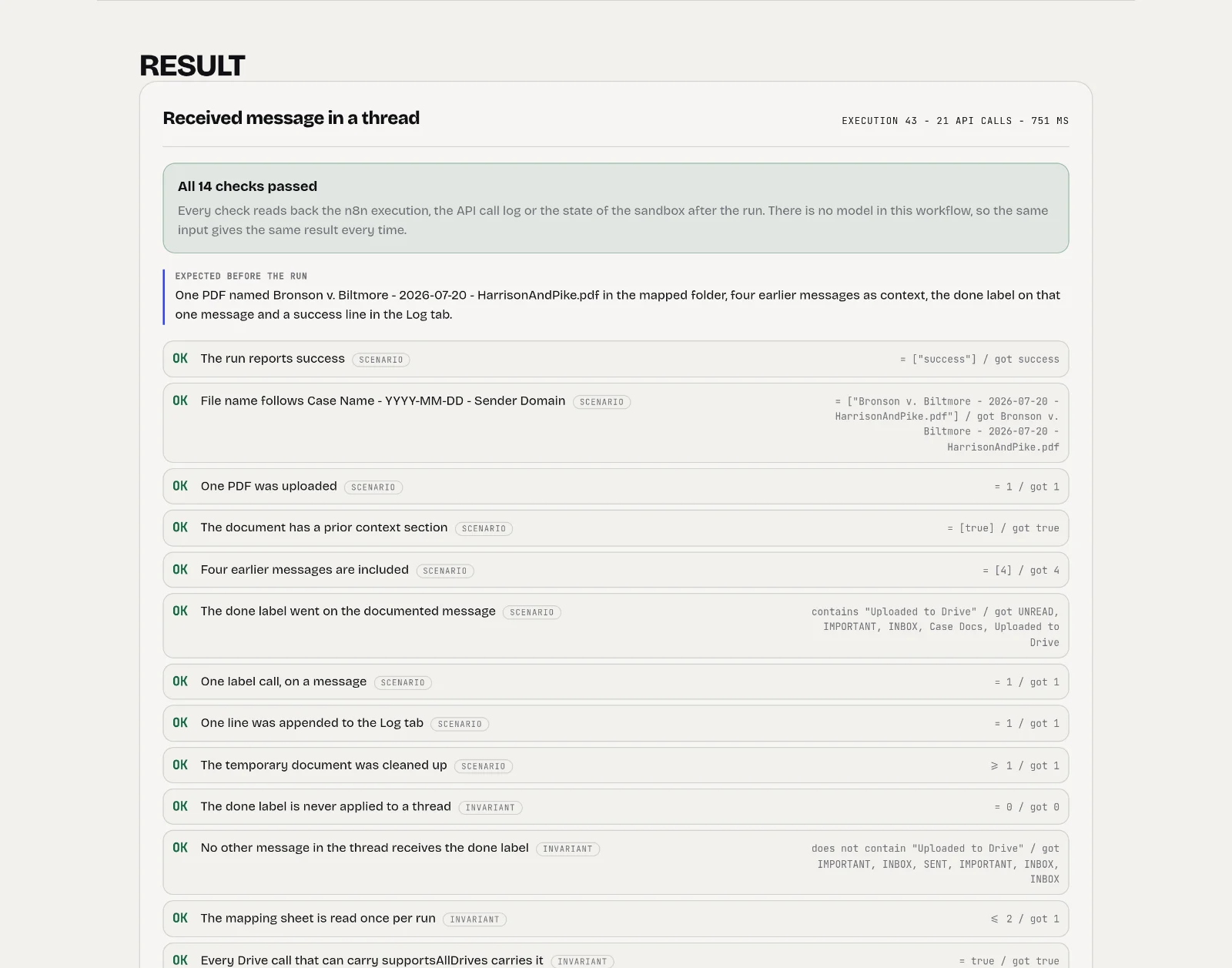
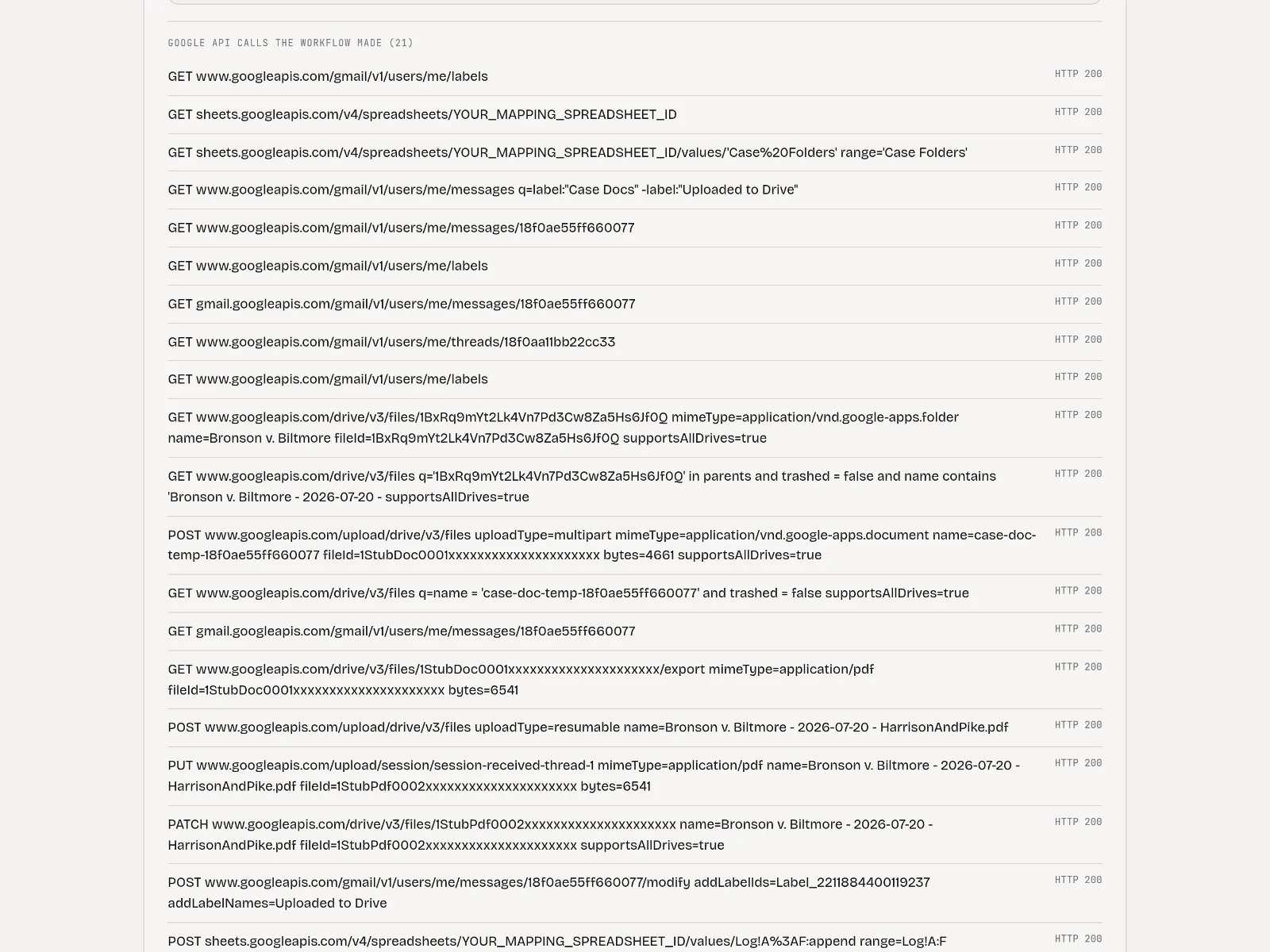
The console starts the same workflow JSON you can download, inside n8n, and reads back the execution, every Google API call it made, the state of the sandbox mailbox afterwards and the PDF it produced. Each card states its expected behaviour before you run it.
It never documents an email twice
The Gmail search excludes the done label, and that label is only set after the upload answered. A message that was documented does not come back in the next poll, and two polls that overlap produce one PDF and one label call per message.
VERIFY: Run Already documented, then Two polls at onceIt stops instead of guessing
No mapping row, a folder id Drive answers 404 on, or two mapping rows that both match: each ends with the exact line from the brief, no upload and no label, and the trigger label stays on the message so it is picked up after the cause is fixed.
VERIFY: Run Sender not in the mapping sheet, Folder id does not exist and Two cases, one senderThe label goes on the message, not the thread
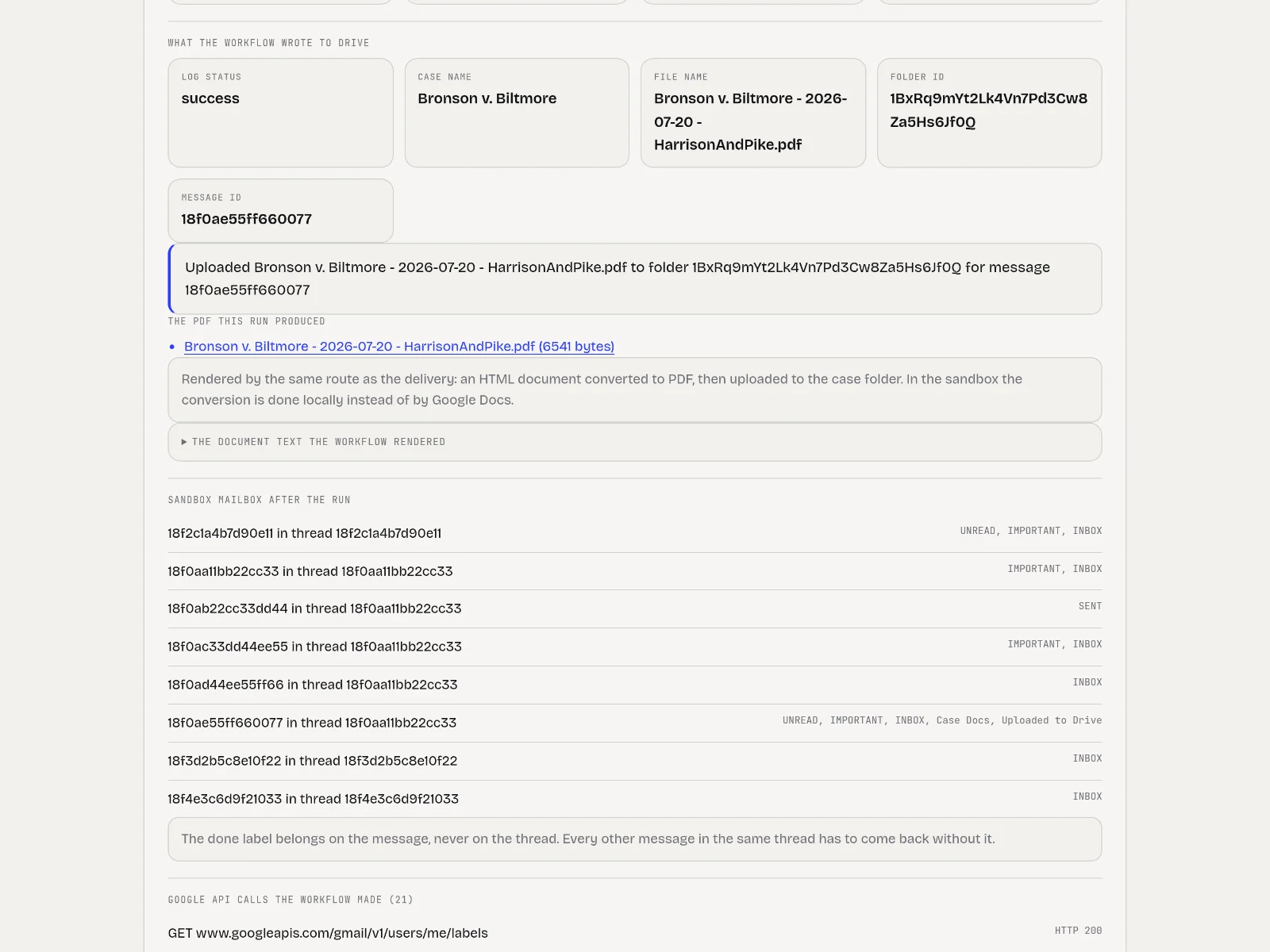
The done label is set with messages.modify on the one documented message. The console shows every message in the sandbox mailbox afterwards, so you can see the rest of the thread come back without it.
VERIFY: Open the sandbox mailbox panel under any successful runThe document is the deliverable
Date and time, sender, recipient, subject, full body and the earlier thread context from newest to oldest, with the context section left out on the first message of a thread. The PDF the run produced is downloadable from the result.
VERIFY: Run Received message in a thread and First message in a threadA failed upload never leaves a labeled message behind
The upload retries once. If both attempts fail the run logs the failure, removes the temporary document and leaves the trigger label in place, because a labeled message is never looked at again.
VERIFY: Run Drive fails once, then accepts and Drive refuses the uploadYou can break it yourself
Write your own email and mapping row in the console, with or without thread context, and switch on an unmapped sender, a missing folder or a Drive that refuses the upload.
VERIFY: Use the Or write your own email form
TRY THESE CASES
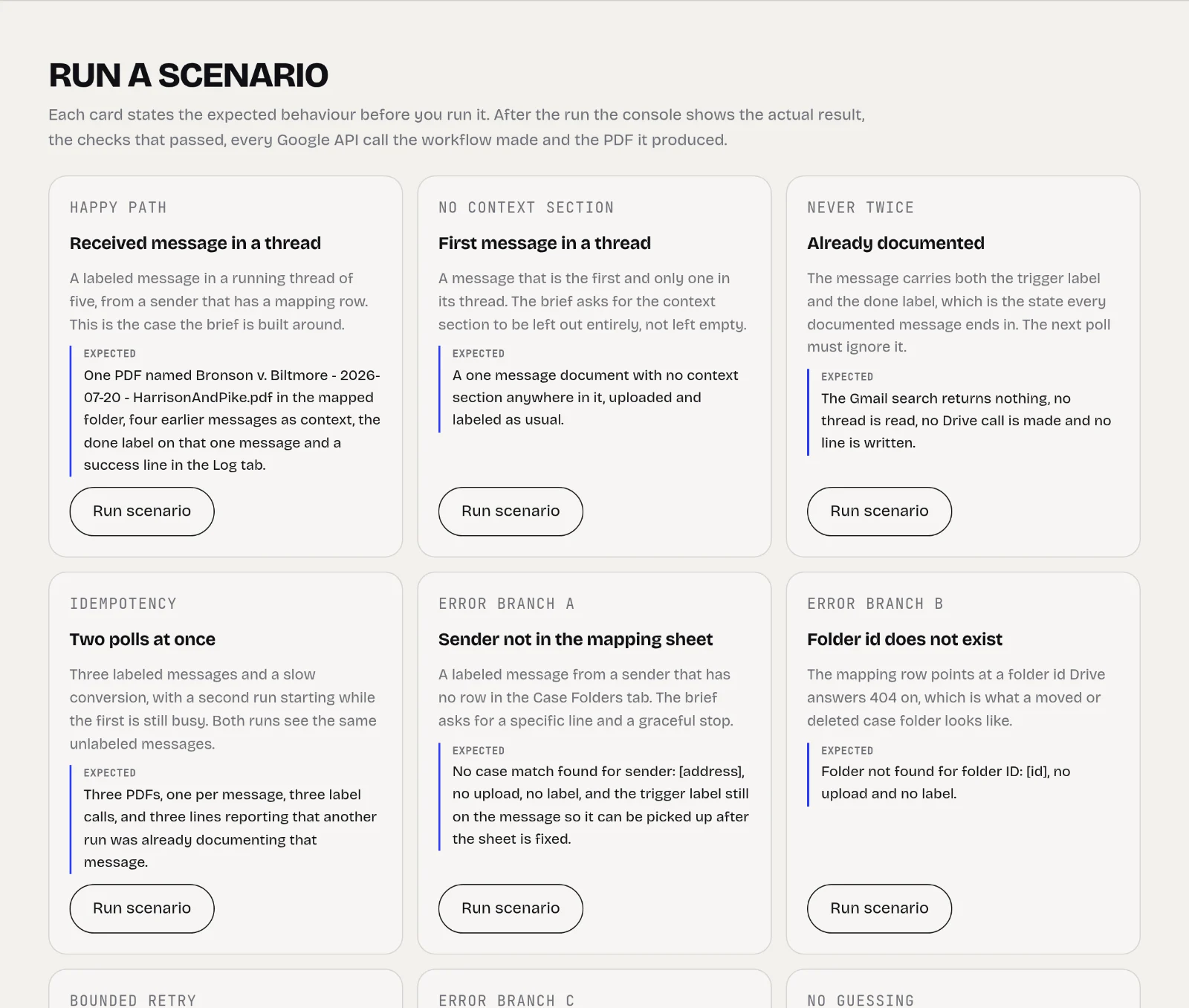
Received message in a threadPDF named Case Name - YYYY-MM-DD - Sender Domain in the mapped folder, four earlier messages as context, done label on that message
First message in a threadNo context section anywhere in the document
Already documentedThe search returns nothing, no thread read, no Drive call, no log line
Two polls at onceThree PDFs for three messages, three label calls, three lines reporting the other run
Sender not in the mapping sheetNo case match found for sender: [address], no upload, no label
Folder id does not existFolder not found for folder ID: [id], no upload, no label
Drive fails once, then acceptsA failed attempt, a successful retry, the label only after that
Drive refuses the uploadUpload failed after retry, no label, temporary document removed
Two cases, one senderMultiple case matches for sender: [address], the workflow stops instead of picking a folder
Case name full of special charactersEmoji dropped, slashes and quotes become spaces, accents kept, sender domain as fallback
RUNTIME PATH
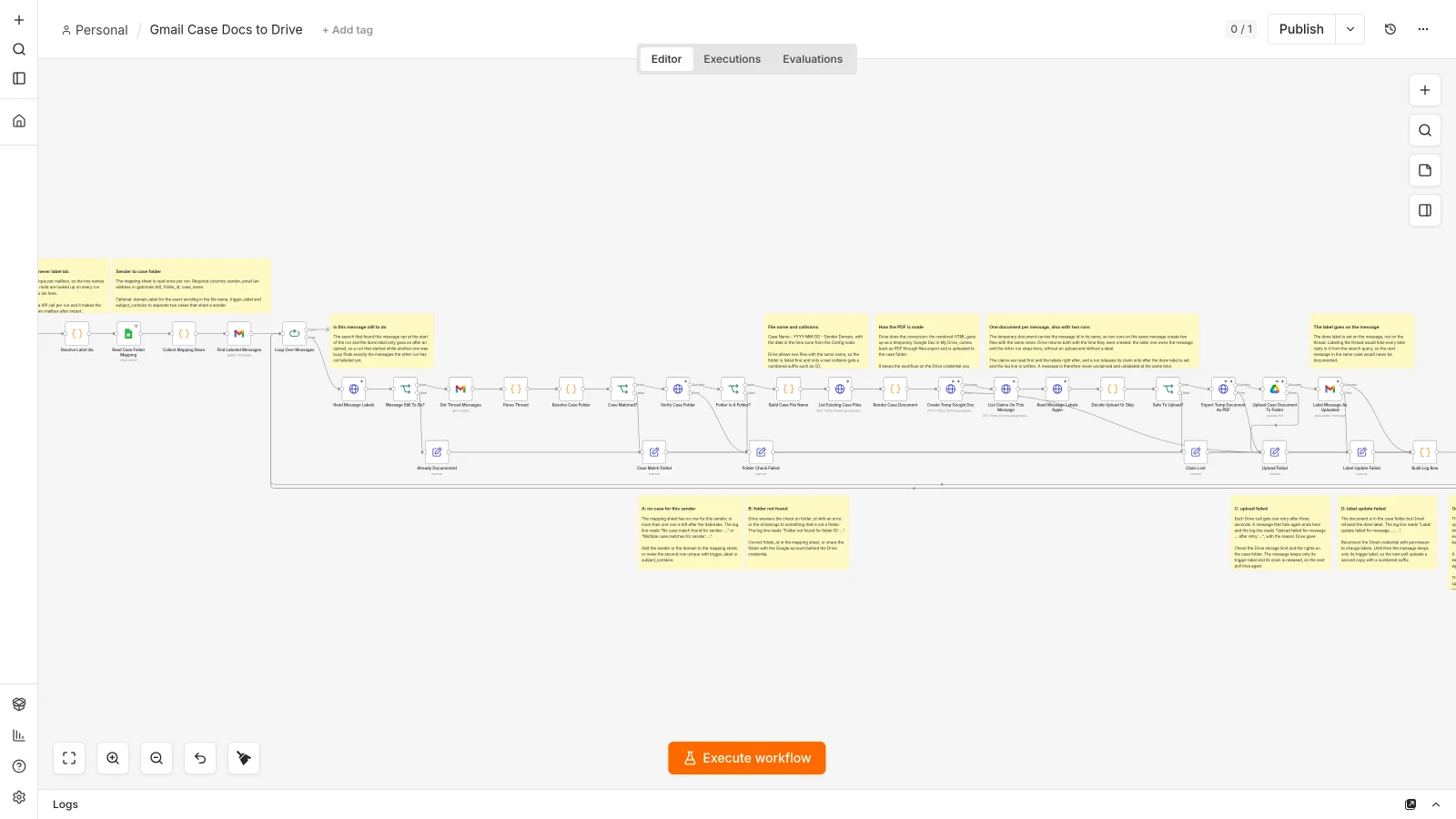
- A schedule fires every minute and the Gmail search is the filter, so the label is what starts the work
- The mapping tab in Google Sheets is read once per run and matched on address, domain or the other people on the thread
- The full thread is fetched and decoded, including sent mail, html only bodies and other charsets
- The labels of the message are read again right before the work starts, so a message another run finished is dropped
- The document is rendered as html and converted to PDF through a temporary Google Doc, which doubles as the reservation
- The PDF is uploaded to the folder id from the mapping row, with supportsAllDrives on every Drive call
- Only after the upload answers does the done label go on that one message
- Every branch appends one line to the Log tab and then releases the reservation
DATA BOUNDARY
The demo has no Google account connected: a local sandbox answers the Gmail, Drive and Sheets calls from recorded fixtures over https, so the workflow runs unchanged.
- Synthetic mailbox, synthetic mapping sheet and synthetic case folders. No real email is involved.
- There is no language model in this workflow, so no message content leaves the stack.
- The n8n editor and the sandbox are not published. The public surface is the console.
- The email you compose in the console stays in memory and is replaced by the next run.
- At a client the workflow uses their own Gmail, Sheets and Drive credentials; nothing is stored outside their Google account and their n8n.
Legal work has a documentation duty: correspondence about a matter has to end up in the case file, readable and not editable. Doing that by hand means printing a thread to PDF, remembering which folder belongs to which counterparty and hoping nobody documents the same email twice. The brief asked for one label click to be enough.
The workflow polls Gmail with the search that makes the label the trigger: label:"Case Docs" -label:"Uploaded to Drive". Gmail has no event for a label being added, so a poll is the only route that also catches an email from last week that is labeled today. It reads the sender to case folder mapping from Google Sheets once per run, fetches the whole thread, decodes every message, and renders a document with date and time, sender, recipient, subject, the full body and the earlier thread context from newest to oldest. The context section is left out entirely when the labeled message is the first in its thread.
The file name is sanitized rather than rejected: characters Drive and Windows refuse are stripped, accents survive, a name longer than 255 characters is cut back and a name already in the folder gets a numbered suffix. Only after the upload answers does the done label go on that one message with messages.modify, never on the thread, so a documented email never comes back in a later poll.
The hard part turned out to be the trigger itself. n8n 2.31 fires a schedule again while the previous run is still busy, and a measurement on the trigger confirmed it: six executions exactly 60 seconds apart while a run took 100 seconds. The second run finds precisely the messages the first has not labeled yet. The workflow now reserves a message with the temporary Google Doc it creates anyway, and the run whose copy is the oldest continues. Without that reservation, two overlapping runs over three messages produced six PDFs; with it, three.
Built on a public brief with no client behind it. It has run against the real Gmail, Drive and Sheets in a throwaway Google account, and the demo runs the delivered export against a local sandbox of those APIs so anyone can try the edge cases without a mailbox.
What it does
- Gmail label as the trigger, with a search that can never pick up an already documented message
- Sender to case folder mapping in Google Sheets, including two cases behind one sender split by subject or label
- Full thread in the document, newest to oldest, and no context section on the first message of a thread
- File name sanitization, 255 character limit and a numbered suffix instead of an overwrite
- Four error branches with the exact wording from the brief, and one retry on a failed upload
- A reservation that keeps two overlapping polls from documenting the same message twice
Want something like this for your business?